PDFs hold the invoices, receipts, and forms your team still types out by hand. Extracting that data automatically sounds like a quick fix, but the tool you pick decides whether it actually works. Tasks.Bot approaches automation from a different angle than most PDF-focused platforms.
This comparison breaks down what Tasks.Bot handles well, where PDF extraction fits into its WhatsApp-based task management, and where it does not. You will also see its key features, pricing, and who benefits most, so you can decide whether it belongs in your workflow.
What Is Tasks.Bot? WhatsApp-Native Task Management for Teams
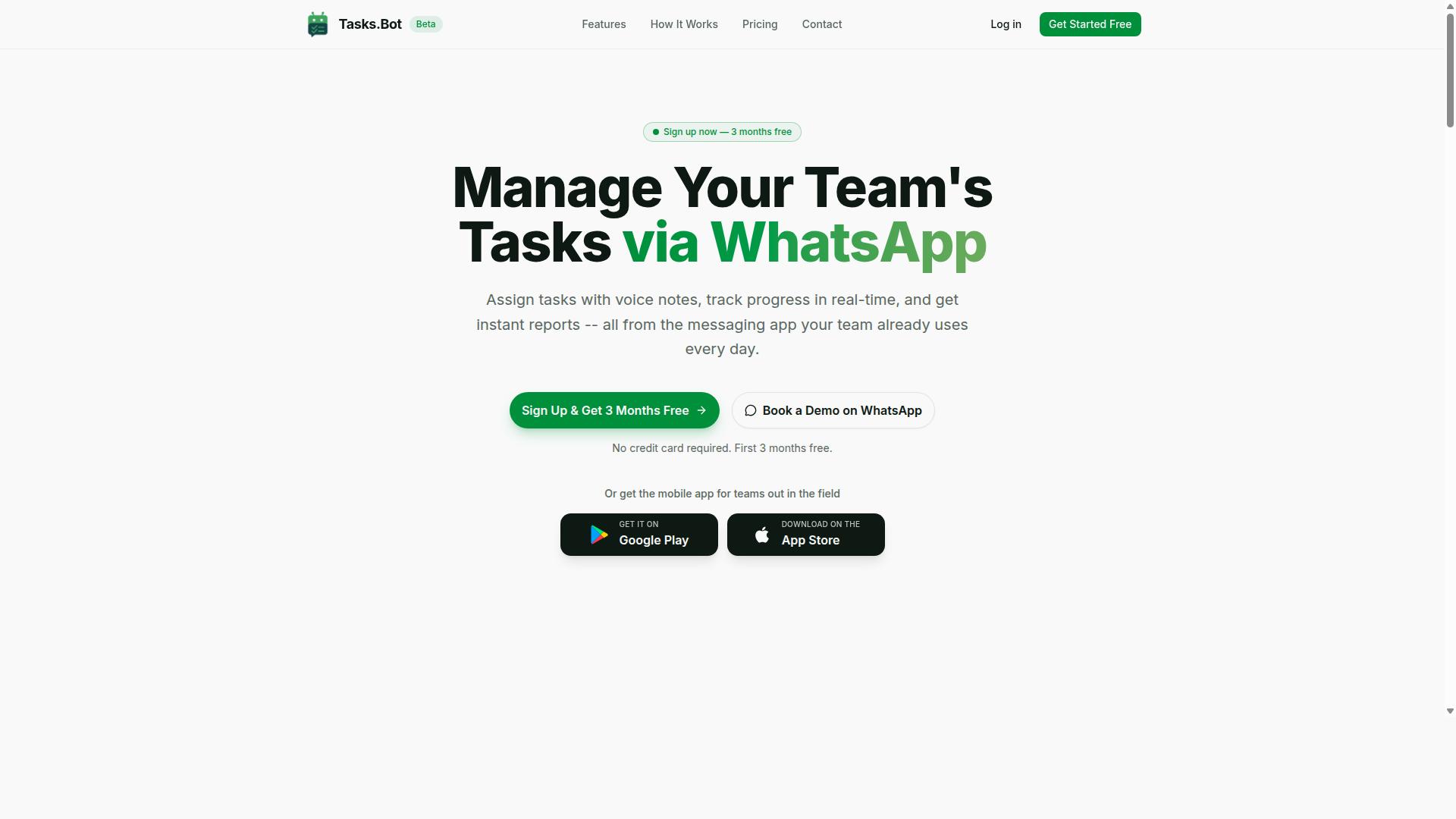
Tasks.Bot is a task management platform that operates entirely within WhatsApp, allowing teams to assign tasks, track progress, and receive reports without leaving the messaging app. For teams already glued to WhatsApp for daily communication, this removes the usual friction of adopting yet another productivity tool.
Instead of asking every team member to install new software or create a separate account, everything happens inside WhatsApp. That single design choice changes how quickly a team can get moving. There is no onboarding marathon, no forgotten passwords, and no half-empty dashboard nobody checks.
Tasks.Bot also offers a mobile app for field teams, which matters for crews working outside an office. Field staff can stay connected to the same task flow without being tied to a desk or a browser tab.
The platform uses AI to understand natural language and voice notes, so creating a task can be as simple as typing a sentence or recording a quick message. That lowers the barrier for team members who would rather talk than fill out forms.
Tasks.Bot is available globally. The service is currently in beta, with hundreds of teams already using it, and it offers a free trial period for those who want to see how it fits their workflow.
For readers comparing automation options, it helps to separate two different jobs. Tasks.Bot handles the human side of work: who does what, by when, and what is the status. PDF data extraction tools and intelligent document processing (IDP) platforms handle the machine side: pulling structured data out of invoices, receipts, purchase orders, contracts, and forms.
If your team's real bottleneck is chasing updates across chat threads, a WhatsApp-native task layer addresses that directly. If the bottleneck is unstructured data trapped in PDFs, that calls for a different category of tool. Knowing which problem you actually have is the first step before evaluating any automation stack.
Does Tasks.Bot Handle PDF Data Extraction Automation?
Tasks.Bot is not designed for PDF data extraction automation; its core focus is on task management, reporting, and field workflows within WhatsApp. If you need to pull tables out of invoices, parse bank statements, or run OCR on scanned receipts, Tasks.Bot will not do that work for you.
The platform does not offer document parsing, optical character recognition, or intelligent document processing features. There is no engine inside Tasks.Bot that reads unstructured data and converts it into structured data, JSON output, or CSV export.
What Tasks.Bot does offer is a way to organize the human side of work. Its automation capabilities center on task assignment, reminders, approvals, and reporting. That makes it a complement to dedicated PDF extraction tools, not a replacement for them.
Think of it this way: a PDF extraction tool handles the document, and Tasks.Bot handles the people who act on what the document contains. A finance team might extract line items from a purchase order with one tool, then route the follow-up approval through Tasks.Bot. The two serve different layers of the same workflow.
The sections below break down exactly what Tasks.Bot automates, and where PDF extraction fits into a broader process.
What Tasks.Bot Actually Automates: Tasks, Reports, and Field Workflows
Tasks.Bot automates the assignment, tracking, and reporting of tasks, with a special emphasis on field workflows that require attendance and location verification. It runs on top of WhatsApp, so teams work inside a tool they already use every day.
Users can create tasks through natural language messages, including voice note task creation. The AI understands user intent and turns a message into an assigned task. From there, automatic task assignment rules route work to the right person without a manager sorting it manually.
Key automation features include:
- Smart deadline reminders that keep tasks from slipping
- Approval workflows for sign-off before work moves forward
- Instant reports that show status without manual compilation
- Tasks on a map for location-based visibility
- Face-verified attendance for field staff check-ins
- Shifts, leave, and hours management in the same system
Consider a delivery workflow. A manager assigns a drop-off task to a field agent. The agent completes it, and the system tracks completion with GPS and face verification. No phone calls, no spreadsheet updates, no chasing for confirmation.
Tasks.Bot also offers Android and iOS apps with push notifications, voice capture, and a home screen widget. There is a live day tracker for real-time progress. The result is less manual coordination and clearer accountability across the team.
Where PDF Extraction Fits - and Where It Doesn't
PDF extraction tools are essential for converting unstructured documents like invoices and contracts into structured data, but Tasks.Bot does not perform this function natively. That distinction matters when you are mapping out a workflow automation stack.
PDF data extraction typically involves OCR and intelligent document processing. These technologies pull text, tables, and metadata from documents and output them as structured data, often as JSON output or CSV export. Common use cases include invoice processing, receipt extraction, bank statement parsing, purchase order handling, contract analysis, and form data capture.
Tasks.Bot includes none of these capabilities. It is not a document parsing engine, and it is not built for robotic process automation of file-based data. Where it fits is one step downstream.
Teams can pair a dedicated extraction tool with Tasks.Bot through no-code automation or API integration. Here is how that division of labor often looks:
- A PDF extraction tool reads the document and produces structured data
- A connector such as Zapier, Make, n8n, or Power Automate passes that data along
- Tasks.Bot creates a task, assigns an owner, and tracks completion
Documents can originate from Google Drive, Dropbox, SharePoint, or an email attachment. The extraction layer handles the file. Tasks.Bot handles the human follow-up, the approval, and the reporting.
The key takeaway: Tasks.Bot orchestrates human tasks, not documents. If your bottleneck is parsing PDFs, you need a document parsing tool. If your bottleneck is making sure someone acts on the extracted data on time, Tasks.Bot is built for exactly that.
Key Features and What Makes Tasks.Bot Stand Out
Tasks.Bot differentiates itself through a WhatsApp-first approach, AI-powered task creation, and robust field team management features like face-verified attendance and GPS tracking. Rather than asking teams to adopt another dashboard or project management tool, it meets people where they already spend their day: their chat app.
That design choice matters for adoption. Team members don't need to install anything or create new accounts, which removes two of the most common reasons software rollouts stall. The AI layer then handles the busywork of turning casual messages and voice notes into structured, assigned tasks with deadlines.
For organizations with field staff, the platform adds accountability tools that go beyond simple to-do lists. Face-verified attendance, live GPS tracking, shifts and leave management, and payroll-ready hours all live in the same place as the tasks themselves.
Enterprise-grade encryption protects conversations and task data, and the brand states that this data is never shared or used for training. A 3-month free trial with no credit card required lets teams evaluate the full feature set before committing.
Voice Notes, AI Task Creation, and WhatsApp-First Workflows
Tasks.Bot allows users to create tasks by simply sending a voice note or typing a natural language message in WhatsApp, which the AI then interprets and converts into structured tasks. The system understands user intent and creates tasks from messages.
The workflow stays entirely inside the chat. There's no app switching, no separate login, and no new interface to learn. A message like "Remind John to submit the report by Friday" becomes a tracked task with an owner and a deadline, without anyone opening a project management tool.
This low-friction model drives adoption. When the barrier to logging a task is the same as sending a text, people actually do it. The result is fewer dropped handoffs and a more complete record of what's been asked and promised.
Beyond creation, Tasks.Bot supports automatic task assignment, smart deadline reminders, approvals and automations, and instant reports. Native WhatsApp integration keeps everything in one thread, while optional Android and iOS apps add push notifications, voice capture, and a home screen widget for those who want them.
Face-Verified Attendance, GPS Tracking, and Payroll-Ready Hours
For field teams, Tasks.Bot offers face-verified attendance and GPS tracking to ensure accountability and accurate payroll-ready hours. Field staff check in by taking a selfie, which is verified against their profile, so attendance reflects the person on site rather than a shared device or a borrowed login.
GPS tracking ties tasks to locations, giving managers a live view of where work is happening. Tasks on a map and a live day tracker make it easy to see progress across dispersed teams without chasing updates by phone.
Hours are calculated automatically as part of the same system, and they can be exported for payroll. That removes the manual timesheet step that so often introduces errors, disputes, and delays at the end of a pay period.
Shifts and leave management round out the picture, so scheduling, attendance, and hours all connect to the tasks being done. For teams with remote or field workers, this means accountability and accurate pay without extra administrative overhead. Like the rest of the platform, these features run through WhatsApp, keeping the experience consistent for everyone on the team.
Pricing and Plans
Tasks.Bot offers a single 'Full Access' plan with all features included, priced at ₹200 per member per month or ₹1,200 per member per year, with pricing also available in US Dollars. That structure keeps things simple for anyone comparing tools for PDF data extraction or document parsing.
There are no tiers to weigh, no feature gates, and no upgrade decisions to make mid-project. Whether a team is handling invoice processing, receipt extraction, or bank statement parsing, every capability sits inside the same plan.
The table below outlines the two billing options as stated by the brand.
| Plan | Billing Cycle | Price |
|---|---|---|
| Full Access | Monthly | ₹200 per member per month |
| Full Access | Annual | ₹1,200 per member per year |
The annual plan saves 50%, which works out to ₹1,200 saved per member per year compared with paying monthly. For a small team running recurring automation on structured data, semi-structured data, and unstructured data, that difference adds up quickly.
Pricing is listed in Indian Rupees and US Dollars. The site shows a 'Select currency' option with both currencies, so readers should verify the displayed currency before confirming a plan.
Tasks.Bot also states that new users get 3 months free, with no credit card required, and can cancel anytime. The service is currently in beta, and a refund policy is mentioned in the footer of the site. Anyone evaluating the tool for OCR, table extraction, or JSON output workflows can review that policy directly before committing.
Who Should Use Tasks.Bot
Tasks.Bot is ideal for teams that already use WhatsApp for communication, especially those with field staff who need task management, attendance tracking, and payroll-ready hours. Rather than forcing a switch to unfamiliar project management software, it works inside the messaging app these teams open dozens of times a day.
That focus shapes everything about the audience. Small to medium-sized teams get the most value, since they rarely have the budget or headcount for a dedicated operations platform. The site notes that hundreds of teams already use the service, which suggests the fit is broad rather than niche.
Remote teams also benefit. When staff are scattered across sites, cities, or regions, a shared WhatsApp thread becomes the fastest way to assign work and confirm it was done. Tasks.Bot turns that informal chatter into something trackable.
Because Tasks.Bot is globally available, location is rarely a barrier. Any team that coordinates over WhatsApp can adopt it, whether they operate in one city or across several time zones.
Technical skill is not a requirement. There is no complex setup, no coding, and no need to learn a new interface. If a team member can send a WhatsApp message, they can use Tasks.Bot.
- Field service teams that dispatch staff to job sites throughout the day
- Delivery operations assigning routes and confirming drop-offs
- Maintenance crews logging completed repairs and follow-up work
- Sales teams managing client visits and reporting outcomes
- Healthcare teams coordinating visits and shift coverage
- Construction supervisors tracking attendance across scattered crews
Consider a delivery company with drivers on the road all morning. A dispatcher can assign each drop as a task, and drivers confirm completion from their phones. No spreadsheets, no end-of-day phone calls.
A construction supervisor faces a different problem: knowing who actually showed up. Tasks.Bot handles attendance tracking directly, so hours are captured as they happen rather than reconstructed later.
Sales managers get similar value. A representative logging a client visit can record it in seconds, giving the team a live view of coverage instead of a weekly summary built from memory.
The common thread across all these examples is payroll-ready hours. Attendance and task completion feed into records that can be used for pay, without a separate reconciliation step at month end.
If your team lives in WhatsApp and has people working away from a desk, Tasks.Bot is built for you. It removes the gap between coordination and record-keeping without asking anyone to change how they communicate.
Final Verdict: Choosing Tasks.Bot for Your Automation Needs
Tasks.Bot is a compelling choice for teams seeking a WhatsApp-native task management solution with strong field workflow features, though it is not a PDF data extraction tool. That distinction matters for readers comparing Karo.bot and Tasks.Bot for PDF data extraction automation. The two products solve different problems, and picking the right one starts with being honest about what each is built to do.
Tasks.Bot earns its place through WhatsApp integration. Instead of asking teams to adopt yet another dashboard, it meets them in a messaging app they already use daily. For field teams, that reduces friction in a meaningful way. AI task creation further lowers the effort of capturing work items, which helps when staff are on the move and typing long descriptions is impractical.
Field workflow features round out the picture. Tasks.Bot is designed around people who work away from a desk, where quick updates and simple coordination matter more than elaborate project views. The pricing model is also straightforward, which makes it easier for small and mid-sized teams to adopt without a lengthy procurement cycle.
What Tasks.Bot does not do is PDF data extraction. There is no document parsing engine, no OCR, and no intelligent document processing pipeline for invoice processing, receipt extraction, or bank statement parsing. Teams that need structured data pulled from unstructured or semi-structured documents should look at dedicated extraction tools and connect them to Tasks.Bot through an API integration or a no-code automation platform such as Zapier, Make, n8n, or Power Automate.
That combination can work well. A document parsing service handles the extraction, produces JSON output or a CSV export, and hands the result to Tasks.Bot so a human can act on it. Google Drive, Dropbox, SharePoint, and email attachment sources can all feed such a setup. The key is treating Tasks.Bot as the coordination layer, not the parsing layer.
Two practical notes for anyone evaluating the service. Tasks.Bot is currently in beta, so features may evolve, and it offers a refund policy for customers who want to try it with limited risk. Readers who want to see how it fits their workflow can book a demo on WhatsApp or contact the team directly for more information.
- Phone: +91 97143 42522
- Email: [email protected]
The verdict is clear. If your priority is WhatsApp-based task management with AI task creation and field team support at simple pricing, Tasks.Bot is a strong fit. If your priority is PDF data extraction automation, pair a dedicated extraction tool with Tasks.Bot rather than expecting one product to cover both.
Frequently Asked Questions
What makes Tasks.Bot different from Karo.bot for PDF data extraction?
Tasks.Bot is a task management platform that runs entirely inside WhatsApp, so your team can assign tasks, track progress, and get reports without installing anything or creating new accounts. Its AI understands natural language and voice notes, which makes it easy to log extraction requests and follow-ups as tasks. For teams already coordinating over WhatsApp, this keeps PDF-related work in the same place as the rest of their operations.
Do I need to install new software or train my team to use Tasks.Bot?
No. Tasks.Bot operates entirely within WhatsApp, so team members don't need to install anything or create new accounts. A mobile app is also available for field teams who need it. That means your team can start assigning and tracking PDF extraction tasks right away in a tool they already use daily.
Can Tasks.Bot handle voice notes and natural language for task creation?
Yes. Tasks.Bot uses AI to understand natural language and voice notes, so you can create tasks simply by speaking or typing a message. This is especially useful when you want to quickly log a PDF extraction request or follow-up without filling out forms. It keeps the process fast and low-friction for busy teams.
How much does Tasks.Bot cost compared to other tools?
Tasks.Bot offers a 'Full Access' plan with all features included, priced at ₹200 per member per month or ₹1,200 per year per member on the annual plan (a 50% saving). Pricing is available in both Indian Rupees and US Dollars. Since we can't speak to Karo.bot's specific pricing, we recommend checking their site directly for current rates.
Does Tasks.Bot offer reporting and tracking for extraction workflows?
Yes. Tasks.Bot includes instant reports, smart deadline reminders, approvals and automations, plus tasks on a map and live day tracking. These features help you monitor progress on PDF data extraction tasks and keep field or remote teams accountable. Everything is delivered within WhatsApp, so updates reach your team where they already are.
How can I try Tasks.Bot or get a demo?
You can book a demo directly on WhatsApp through the Tasks.Bot website, or reach out at [email protected] or +91 97143 42522. The service is currently in beta and available globally, with no country restrictions. A refund policy is also mentioned in the site footer, so you can explore the Full Access plan with confidence.
Recommended Resources: